Tuesday, January 6, 2015

Nokia 2700c ringer solution


Nokia 2700c ringer solution

Read More..

Thursday, December 18, 2014

BlackBerry 8310 with Damage Repair Camera


BlackBerry 8310 with Damage Repair Camera
Read More..

Nokia C2 06 Full PCB cellphone Diagram Mother Board Layout Here is the cellphone diagram of Nokia C2 06 PCB so i will add some more cellphone diagram in high resolution so that you can add some more repairing trick for

Nokia C2-06 Full PCB cellphone Diagram Mother Board Layout.
Here is the cellphone diagram of Nokia C2-06 PCB.so i will add some more cellphone diagram in high resolution so that you can add some more repairing trick for


High Resolution


Nokia C2-06 if you find some new repairing techniques please must email me and i will post that diagram with your reference in this way we all make it possible “REPAIRING MADE EASY” the basic point of www.u2ugsm.com
Thanks
for more detail and new tips and tricks about cellphone service problem keep visiting this page we will update cellphone service diagrams timely with other mobile solution.some related post are also given bellow you can read them also for more information about cellphone.
Read More..

Thursday, December 11, 2014

All China Phones Second Sim Repair Solutions

All China Phones Second Sim Repair Solutions
Read More..

NOKIA 1202 Handsfree Mark Solution


NOKIA 1202 Handsfree Mark Solution

Read More..

Sunday, December 7, 2014

Nokia C6 00 Charging Solution Ways


Nokia C6-00 Charging Solution Ways
Read More..

Nokia 1200 And 1208 Ringer Jumpers Way Solution

Nokia 1200 And 1208 Ringer Jumpers Way Solution
Read More..

Monday, November 24, 2014

Nokia 5130 Keypad Problem

For those of you who have problems with the Nokia 5130 keypad, we offer the following guidelines to overcome the keypad problem. This step is an alternative step, step better is to change the keypad IC. However, if you want to do jumpers, please follow the guidelines in the following figures :

Read More..

Upgrade Nokia 3110c to Nokia 3500c

Nokia is a brand of mobile phones is very popular in the world. In the market, mobile phones Nokia has been circulating in various types. One of them is Nokia 3110c.
Damage that often occurs in Nokia 3110c is blinking and restart (at least thats what i often find). Maybe for people who have had experience in the world of mobile phone repair, damage symptoms of restart and blinking very recognizable, ie mobile phone screen flashes white.
To overcome this damage, we can do reflash. Well, at the time, we are not going to talk about how to repair damage to the Nokia 3110c mobile phone, but that we will discuss here is how to upgrade firmware from Nokia 3110c to the Nokia 3500c.
Ok, to do so, lets follow the following steps :
  1. For security, back up first RPL and PM before upgrade.
  2. Flash your Nokia 3110c using Nokia 3500c firmware
  3. Write Pm
  4. Unlock
  5. Reset full factory
After completion, the themes, screensavers, color schemes and ringtone will be the same as Nokia 3500c. One more thing thats most important, the quality of the Nokia 3110cs camera will be equal in quality to the camera Nokia 3500c which has a resolution of 2.0 megapixels.
The following are log information from the upload process is never done.
Read More..

Nokia 1280 light way without ic easy solution


Nokia 1280 light way without ic 100% tasted by all mobile solution
Read More..

Friday, November 21, 2014

Nokia Lumia 800 Sim Solution


Nokia Lumia 800 Sim Solution
Read More..

Thursday, November 20, 2014

Samsung Galaxy S 4 hard reset sgs4 reset i9500 resetting gt i9500 i9505 gt i9505 code


Samsung Galaxy S の4 hard reset :- by >wzmobile.asia<
Fast Reset  the device {press and hold POWER switch  for 9-11 second}
Unlock samsung Galaxy S4 using hard reset
samsung s4 hard reset  or のreset Galaxy S4 PRESS AND HOLD VOLUME UP key + Home switch  + Power switch 

Press Power key the phone on vibrate Waityou see for Android logo then release 
all the switchのの and keys.Select Wipe data/Factory reset with VOLUME DOWN. 
press Power key [right hand-side]Select YES -- delete all user dataŽwith VOLUME DOWN 
and then press Power After format. press Power key again to reboot phone. 
[select reboot system now]unlock i9500 galaxy samsung cell phone
Read More..

Nokia N8 Network Solution


Nokia N8 Network Solution
Nokia N8 Network pf
Nokia N8 Network ic
Nokia N8 no Network Solution
Read More..

Motorola XT 530 Hard Reset Motorola FIRE XT XT530 code


1. Press and hold the POWER key, and press VOLUME UP + VOLUME DOWN buton.の
2. Wait until you see an Android logo appears on the screen.の
3. Then touch Home.の
4. You should see a recovery menu appears, scroll down on the menu using the VOLUME keys to navigate.
5. Select Wipe data.の
6.Then press Enter key.の
Read More..

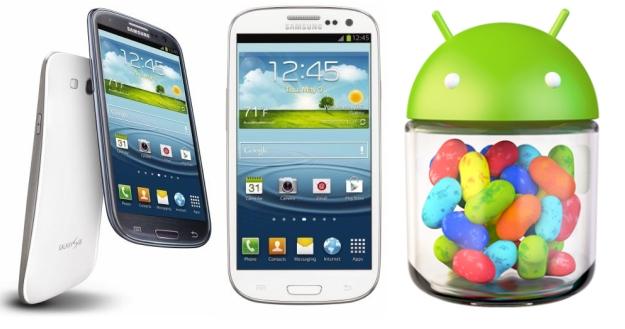
How to update Samsung Galaxy S3 to Android 4 1 2 Jelly Bean

Good news to all Samsung galaxy s3 users, the international version of Samsung galaxy s3, which have been the world’s best-selling smartphone, now already received the much anticipated Android 4.1.2 Jelly Bean update over-the-air. Many major national carriers has released Android Jelly for the device, and other Carrier-branded versions like Verizon Wireless should be able to receive the update soon as Samsung is railroading updates for its devices. But some only offer an update that must completed via Samsung Kies software and is not offered over the air.

The new Android 4.12 Jelly Bean Update brings a list of amazing features now only located in Samsung Galaxy Note 2 to Samsung S3, like highly-anticipated Multi View multitasking system, Smart Rotation function , camera filters, low-light photo mode, an easy mode and so on. For some people you may find it is difficult for you to update or wait any longer. So here I will show you How to update Android 4.1 Jelly Bean on Galaxy S3 immediately.Pre-requisites 
  1. Be sure to backup your data before starting the update
  2. Make sure your battery is at least 50% charged.
  3. Make sure that you have install Kies software on the computer, and if you dont have Kies, you can download it from Samsung website.
For international version: If the software update didn’t popped up in the notifications area, you can update your Samsung Galaxy S3 to Android 4.1.2 Jelly Bean by connecting the terminal to Kies or OTA, by manually checking for the update for the latter method. Just go to Settings > About Device > Software Update > Check for Updates and see whether the new firmware has rolled out for your device.

Heres How to Update Your AT&T Samsung Galaxy S III to Android 4.1 Jelly Bean
  • Connect your Samsung Galaxy S III to your PC or laptop using the supplied USB cable. Ensure that Kies recognizes your device by looking in the upper section of the left-bar navigation menu. Your device should be listed.
  • Kies Device Once Kies recognizes the device you will see a Lcd stating new firmware is available.
  • Click Update.
  • Read through the Caution pop-up and, if you agree, click to populate the I have read all of the above information checkbox.
  • Read the Allow saving of information statement and select Allow saving or Proceed without saving and then click Start upgrade.
  • After a few minutes, Kies will then begin transferring the firmware binary to the device.
  • Then after a while the upgrade is completed.
  • If completed a data backup from your device to Kies prior to performing the update, you can now restore that data back to the device under the new Jelly Bean operating system 
Read More..

How to Fix Your Nokia Lumia unbootable after a hard reset or updating

Many users need to apply a hard reset our terminals, sometimes malfunction and others simply because we want to erase all personal content and leave no trace. But they have detected some problems with this process and some terminals do not get past the first step showing gears constantly turning. Then I discussed a method to try to recover the terminal.
Many of you know the procedure for performing a hard reset Nokia Lumia any terminal and I discussed a long article above. Thus, before an important event or simply because we want to delete the content problem, we apply the procedure and we can retrieve a phone. But, like everything related to the software, it is not without risks .
So many readers have reported that during the terminal remains unused in the initial state when the recovery is being implemented leaving only a gear on the screen that does not stop spinning for hours.This problem not only what we have when we performed a hard reset, but before a software update via OTA.
The good news is that, before taking the terminal to what Nokia will try to recover, you can now attempt a first terminal recovery at home, and try to fix it yourself. I count the steps.

Step 1: Install Nokia Software Updater for Retail

The first step is to download the software from Nokia that lets you install the firmware on our phone.This software was already discussed when we explain how to upgrade to Lumia Amber has been recently updated. As if you had not installed the hype download and if you had already, just open it and tell you that there is an update.
Updated : If you have problems installing this program, you can try the new software launched by Nokia and I discussed in another article .

Step 2: Connect the phone to your computer

The next step is simply to connect the phone to the computer with the USB cable. Of course, the terminal will light if it was not, but will not be recognized by any application (you may receive a message that a USB device is not recognized.) We start the Nokia Software Update for Retail application and see the image indicates that we connect the phone.
Underneath the drawing, we see a button that tells us: "my device does not boot" . Its what we choose to enter will use in the next step wizard.

Step 3: software reset terminal

In this step, you click Continue, the program tries to find the phone, and then you apply a soft reset . To do this, we pressed the buttons on and volume down until we noticed a vibration. When the phone starts to boot you again, you should see that is recognized by the program.

Step 4: Installing the firmware

In this step, if necessary, download the firmware needed Nokia server, and then proceed with the installation. By installing a complete firmware, is how to perform a clean installation of the software on the terminal, so if there is no hardware problem should be solved and recover your phone. The process is the same as mentioned for upgrade to Lumia Amber .
We hope the tutorial will serve as a support and allows you to recover those terminals that are giving you headaches after the hard reset.
Read More..

Wednesday, November 19, 2014

Nokia 1110 1600 2310 Display ways


Nokia 1110, 1600, 2310 Display ways 100% Solution
Read More..

Repair iPhone 4 Bettery Connector Problem


Repair iPhone 4 Bettery Connector Problem
Repair iPhone 4 Bettery Connector Solutions
Repair iPhone 4 Bettery Connector Not Working
Apple iPhone 4 Bettery Connector Problem
Read More..

Nokia e63 Microphone Solution


Nokia e63 Microphone Solution

Read More..

Nokia C2 03 Charging not supported Solution

  •  C2-03 Charging Solution
  • C2-03 Chargin Problem
  • C2-03 Chargin Ways
  •   C2-03 Charging IC
  • C2-03 Chargin Not Supported Solution
  • C2-03 Chargin Not Supported Solution
Read More..