Showing posts with label iphone. Show all posts
Showing posts with label iphone. Show all posts
Wednesday, November 19, 2014
Repair iPhone 4 Bettery Connector Problem

Repair iPhone 4 Bettery Connector Problem
Repair iPhone 4 Bettery Connector Solutions
Repair iPhone 4 Bettery Connector Not Working
Apple iPhone 4 Bettery Connector Problem

Tuesday, November 18, 2014
Apple iPhone 5 Hard Reset Restart Solution
Step no 1.
 Step no 2.

Step no 3.
 This Is The Simple Step By Step Procedure To Hard Reset Your iPhone 5.
Step no 3.
iPhone 4S Dropped No Display Problem Solutions
In The Case You Dropped Your iPhone 4S
Then Try The Following Diagram Solution
Try Many Time Using An Other Board

iPhone 4S Dropped No Display Problem Solutions
iPhone 4S Dropped LCD DisPlay Not Working
Sunday, September 21, 2014
Samsung Nokia Symphony Display and Smart Phone iPhone iPad iPod Touch Screen Problem
Samsung, Nokia, Symphony Display and Smart Phone, iPhone, iPad, iPod Touch Screen Problem : Smart Phone, iPhone, iPad, iPod Touch Screen Problem and Samsung, Nokia, Symphony Display Troubleshooting is major problem in the world. Symphony Mobile User is increasing day by day. Symphony TAB is totally depended on touch. Samsung Galaxy, Samsung DUOS and S4 totally depended on Touch. There is no alternative way instead of Touch. So need proper care and secure using for Touch Mobile Phone. Smart Phone, iPhone, iPad, iPod also depended on touch. The generation of Touch Mobile is increasing like Notebook and Laptop. After Samsung and Symphony Nokia new mobile is also depended on touch. Although Nokia is still now far from generating Andriod operating system in their mobile. If Appears touch problem in your mobile you can take these necessary step as giving below :
1. Restart Your Mobile.
2. Flash Your Phone Memory Or Give Restore Factory Setting Reset.
3. Remove Memory Card Then Try Again.
4. Use Touch Protected Cover
5. If Your Problem Not Solved Then Try With Customer Care Center.
Read More..
1. Restart Your Mobile.
2. Flash Your Phone Memory Or Give Restore Factory Setting Reset.
3. Remove Memory Card Then Try Again.
4. Use Touch Protected Cover
5. If Your Problem Not Solved Then Try With Customer Care Center.
Wednesday, September 3, 2014

Thursday, August 28, 2014
How To Diassemble iPhone 4
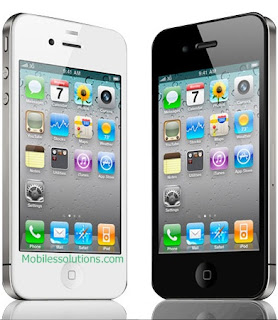
Step By Step Tutorial 4 iPhone Disassemble.
Step 1.
Pick your iPhone 4 ..
Step 1.
Pick your iPhone 4 ..

Step 2
Open on the 2 screw on bottom of the your iPhone 4.

Step 3.
Remove back side of the iPhone 4.

How To Remove Battery? Click Here For Tutorial
Step 4.
Use screw driver for removing screws.
Remove top side screws.


Remove left side screw .

Step5.
Use plastic stick for removing the jack and strips.Do not use screw driver it may be damage jack or strip.

Step 6.
Remove camera strip and remove camera.

Step7.
Remove all jack connect to upper board an remove it.

Remove the board

Board Pictures


Step 8.
Remove All other connector from the top board
Remove All other connector from the top board

Final Step.


Friday, August 22, 2014
iPhone 5 Handsfree Problem fix problem

iPhone5 Handsfree Problem How to Fix problem,iPhone5 Handsfree Problem Ways How to Fix problem,iPhone5 Handsfree Problem No Ear Sound How to Fix problem,iPhone5 Handsfree repair How to Fix problem,iPhone5 Handsfree Mode Problem How to Fix problem,iPhone5 Handsfree Not Detected Problem How to Fix problem
Thursday, August 14, 2014
iphone 4 screen light 100 repair
this coil instead new hand made coil check. iphone4 display light problem will be solved

Subscribe to:
Posts (Atom)
