Showing posts with label 8. Show all posts
Showing posts with label 8. Show all posts
Thursday, September 25, 2014

Tuesday, September 23, 2014
Windows Phone 8 Mobile Device Management and Smart Phone Problem
With Smartphone Solutions technolgy partners industry-leading enterprise mobility management solution activates enterprises and public sector organizations to take full advantage of the new Windows Phone 8 device and application management abilities. Along with support for upcoming features to be revealed on release date, Air Watch will accept the publically announced Windows Phone 8 device and application management features:
- Company Hubs
- Device reporting, configuration and analytics
- Over-the-air updates to enterprise applications
- Exchange ActiveSync configuration
- Enterprise and full device wipes
- SD card disabling
With the Company Hub, Windows Phone 8 provides a central location for IT administrators to push internal application updates, securely connect devices to enterprise networks and send notifications and messages to specific contacts. Reference
Smart Phone service is simply the best mobile email solution on the planet. I am constantly in touch with clients in or out of the office on my iphone and smartphone. 4smartphone is a brilliant iphone companion. It has saved me so much time and more money. Well done on a brilliant service. Best wishes for Smart Phone Users
Saturday, August 30, 2014
Friday, August 29, 2014
How To Root Your Galaxy Note 8 0 GT N5110 Android 4 2 2 Firmware Running on Guide
Samsung Galaxy Note 8.0 GT-N5110 (WiFi) recently get updated to the N5110XXCMK1 4.2.2 Jelly Bean Firmware. If you yet to update the firmware, then update the same by following the above link. Hope you updated this latest firmware on your device and now you can root the same using our simple tutorial below. The below guide will help you to root XXCMK1 4.2.2 Jelly Bean Firmware running on Galaxy Note 8.0 GT-N5110. Continue reading the tutorial for complete guide.
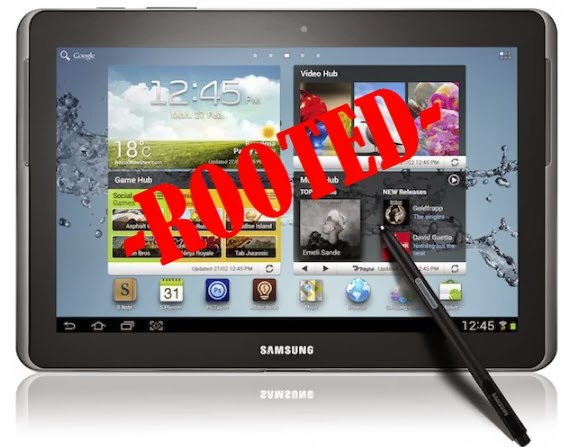 After updating official firmware, your device no longer belongs to rooted device. So, after official firmware update, many of us prefer to root our device to enjoy some additional features that unrooted android device doesnt offer. With a rooted android device, you can install apps that ask root permission, flash various custom ROMs, install MODs and tweak various features. Root removes default bloatware apps that free-up lots of memory space and extend the battery life. However, once rooted, manufacturer warranty will be void. But you can regain the warranty by following proper unroot process. To know more about benefits of rooting android device, read- Complete Note on What is Rooting and Benefits of Rooting Android Tablet.
So, want to root Galaxy Note 8.0 GT-N5110 Running N5110XXCMK1 4.2.2 Jelly Bean Firmware? Continue reading this page to get all the necessary steps to successfully root your device. The root file (CF-Auto-Root) we used in this tutorial is safe and have nearly 100% success rate. Well use Odin software to flash the root file.
The tutorial is made with simple step by step guide, so that even an android newbie user can follow and successfully root his/her device. However, in this process you may loss your personal data and settings. So, we recommend you to follow all the backup instructions before proceed to rooting guide.
So, want to root Galaxy Note 8.0 GT-N5110 Running N5110XXCMK1 4.2.2 Jelly Bean Firmware? Continue reading this page to get all the necessary steps to successfully root your device. The root file (CF-Auto-Root) we used in this tutorial is safe and have nearly 100% success rate. Well use Odin software to flash the root file.
The tutorial is made with simple step by step guide, so that even an android newbie user can follow and successfully root his/her device. However, in this process you may loss your personal data and settings. So, we recommend you to follow all the backup instructions before proceed to rooting guide.
All the above pre-requisites are very important and must be followed before proceed to installation guide. Hope you get all the above points and done as mentioned. Now, you are ready to move to the final step of this tutorial where we have arranged a step by step details guide to root Galaxy Note 8.0 GT-N5110 running N5110XXCMK1 4.2.2 Jelly Bean firmware.
Steps to Root Galaxy Note 8.0 GT-N5110 Running N5110XXCMK1 4.2.2 Jelly Bean through Odin:
- Download CF-Auto-Root for Galaxy Note 8.0 N5110 and extract the Zip file: CF-Auto-Root-konawifi-konawifixx-gtn5110.zip
- Download Odin 3.09 and extract the Zip file: Odin3_V3.09.Zip
- Now, Switch off your Tablet and boot Galaxy Note 8.0 N5110 into Download Mode by pressing and holding the Volume Down+Power buttons together (long press until the boot screen appear), now press Volume Up key to proceed to Download Mode.
- Run the Odin3 v3.09.exe file as an administrator (Right click on the .exe file and click on Run as administrator)
- Now connect your Galaxy Note 8.0 N5110 to your computer via USB cable
- In Odin3 screen, you should see a COM Port number like “0:[COM7]” at ID:COM section and “Added!” text at the message box. This means your device has been detected by Odin3.
- Make sure that, only the “Auto Reboot” and “F. Reset Time” options are checked.
- Now, click on the PDA button and select the CF-Auto-Root-konawifi-konawifixx-gtn5110.tar.md5 file.
- Finally, click on the Start button to begin the rooting process, wait few moments.
- Once completed, you would see “PASS!” message in ID:COM port having green background
- Your Tablet should automatically reboot after completion
- You can now disconnect your Tablet from computer
- Finish
Subscribe to:
Posts (Atom)
